




ShipFinder gives you access to comprehensive historical AIS data, helping you analyze vessel movements, review port activity, and replay past voyages for operational analysis, compliance, and incident investigations.
Free Plan: Up to 3 days of historical data
Standard Plan: Up to 14 days of historical data
Pro Plan: Up to 6 months of historical data
Enterprise Access: 10+ years of historical AIS records. Contact us to learn more. shipfinder@elaneglobal.com
Historical Tracks
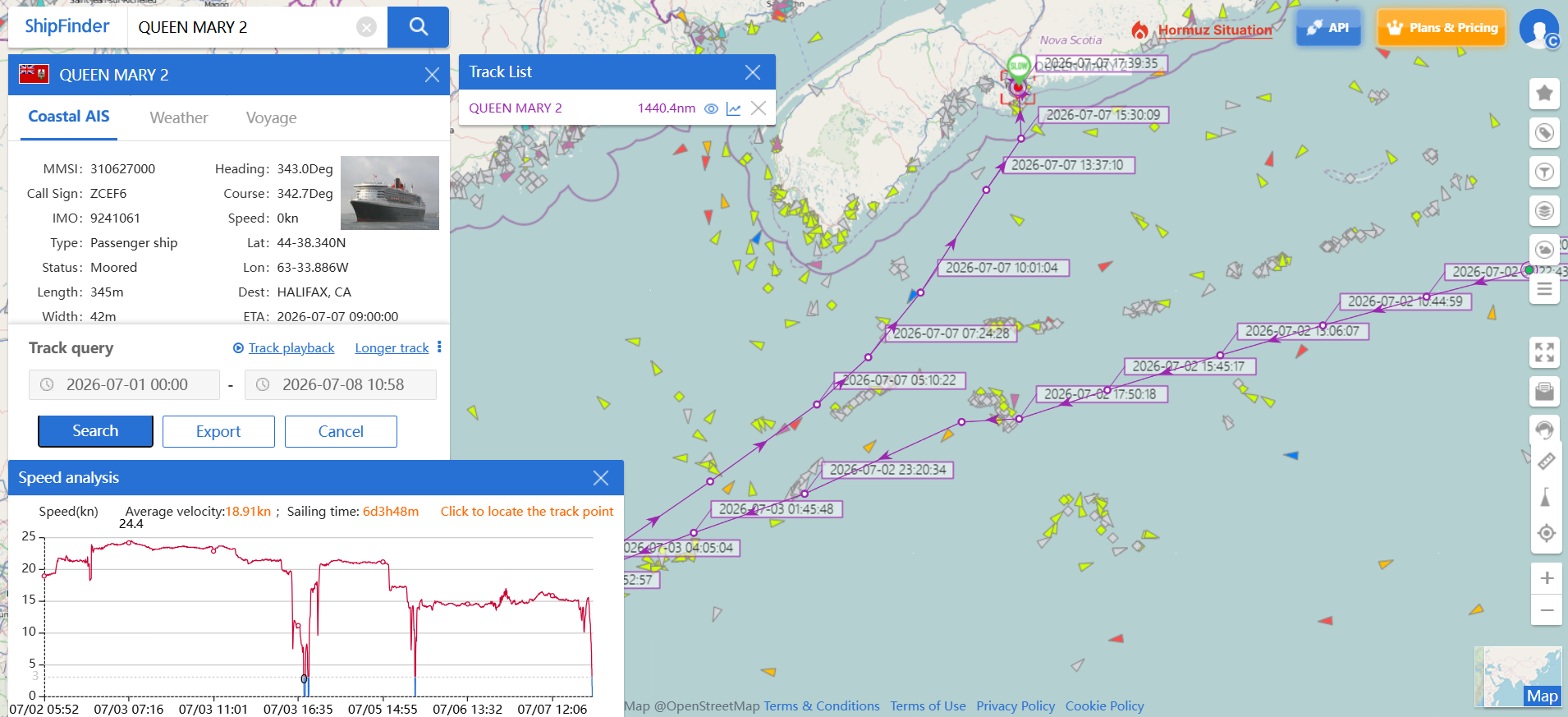
Historical Tracks provide AIS movement history, allowing you to review a vessel's previous positions and sailing routes. By analyzing past movements and route patterns, you can better understand operational behavior, compare voyages over time, and export historical track data for further analysis or reporting.
How to View Historical Tracks
Search for the vessel you want to review.
Click “Ship Track”
Choose your preferred date range.
The vessel's historical route will be displayed on the map.
Port Calls
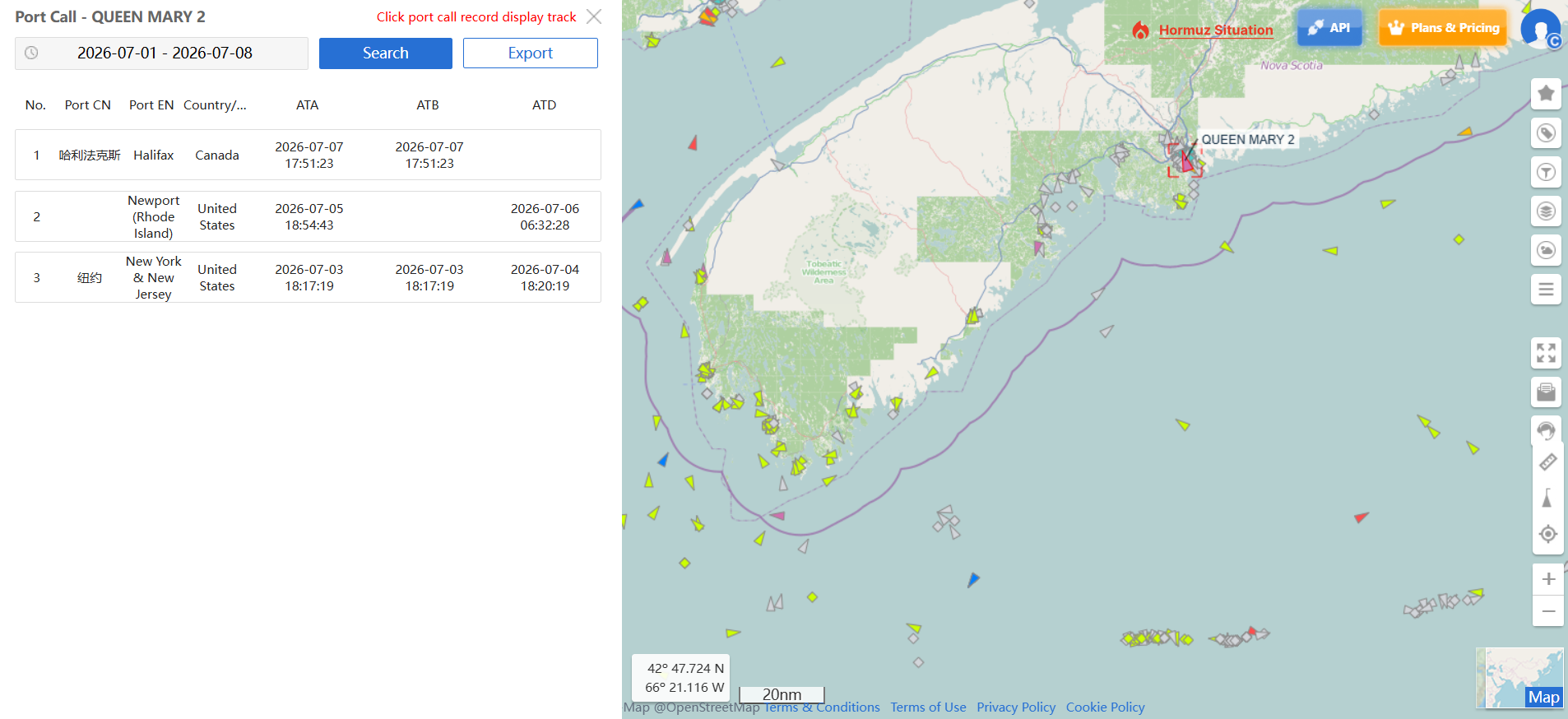
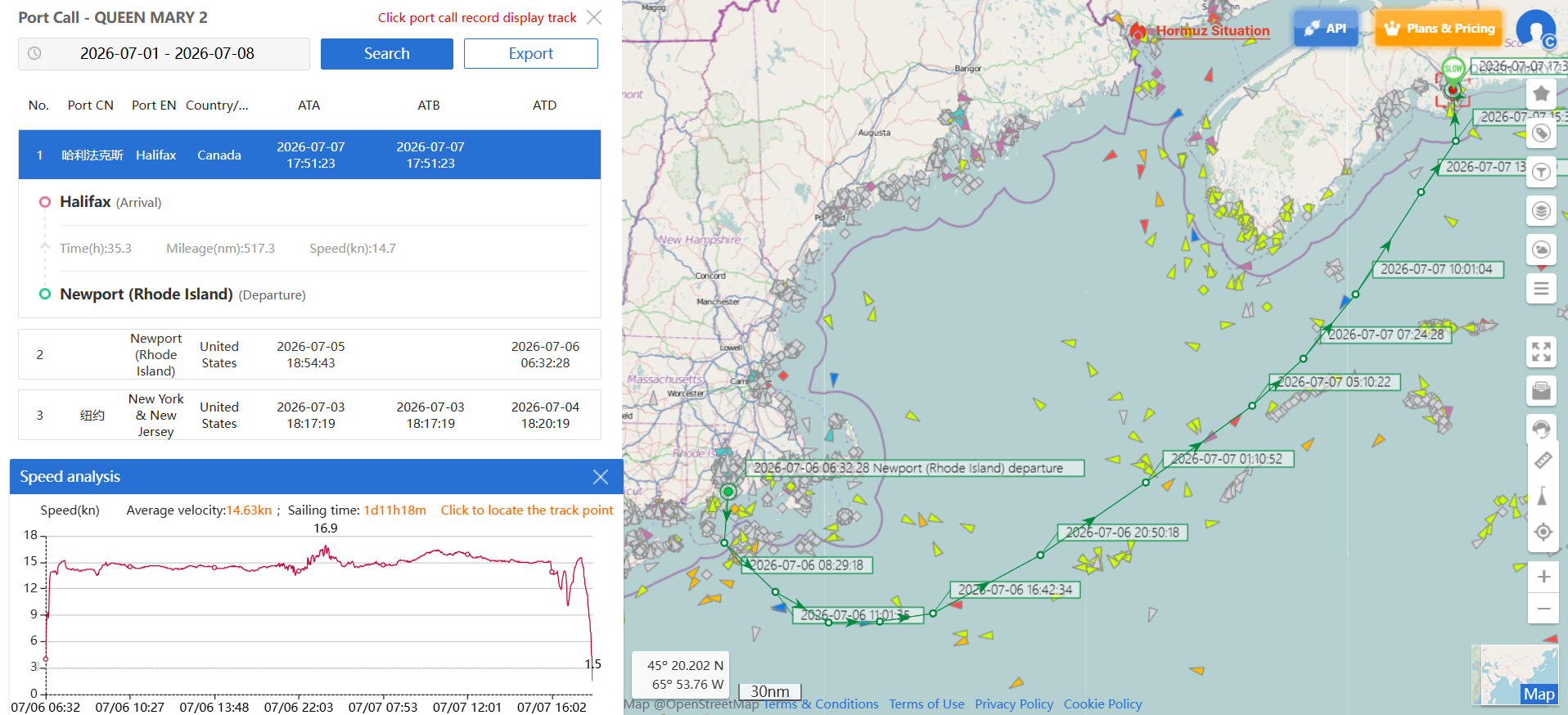
Port Calls provide a complete record of a vessel's historical port visits, including arrival and departure times, berth information, and the duration of each stay. Historical port calls are synchronized with the vessel's track on the map, with stop locations clearly marked for easy visualization. Stop markers can be shown or hidden as needed, making it easier to analyze port turnaround times, operational activities, and trading patterns.
How to View Port Calls
Search for the vessel you want to review.
Click “Port Calls”
Choose your preferred date range.
The vessel's complete Port Calls history will be displayed.
Click any port call to display the corresponding voyage track on the map.
Historical Playback
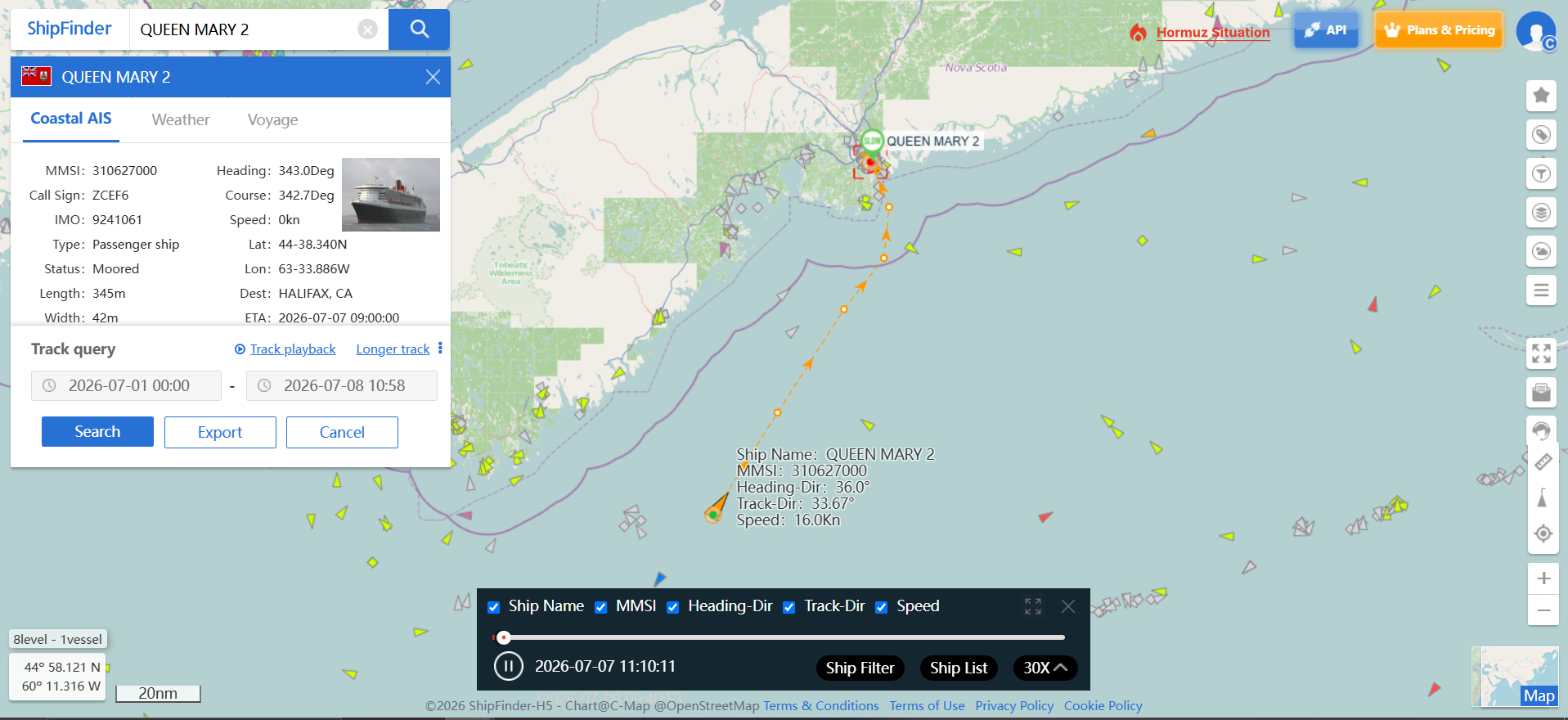
Historical Playback recreates a vessel's voyage using a smooth animated replay of its historical AIS track, providing an intuitive way to review vessel movements over time. Playback speed can be adjusted to suit your analysis, and up to five vessels can be replayed simultaneously, making it ideal for comparing routes, evaluating voyage efficiency, and supporting maritime accident or incident investigations.
How to Use Historical Playback
- Search for the vessel you want to review.
- Click "Ship Track"
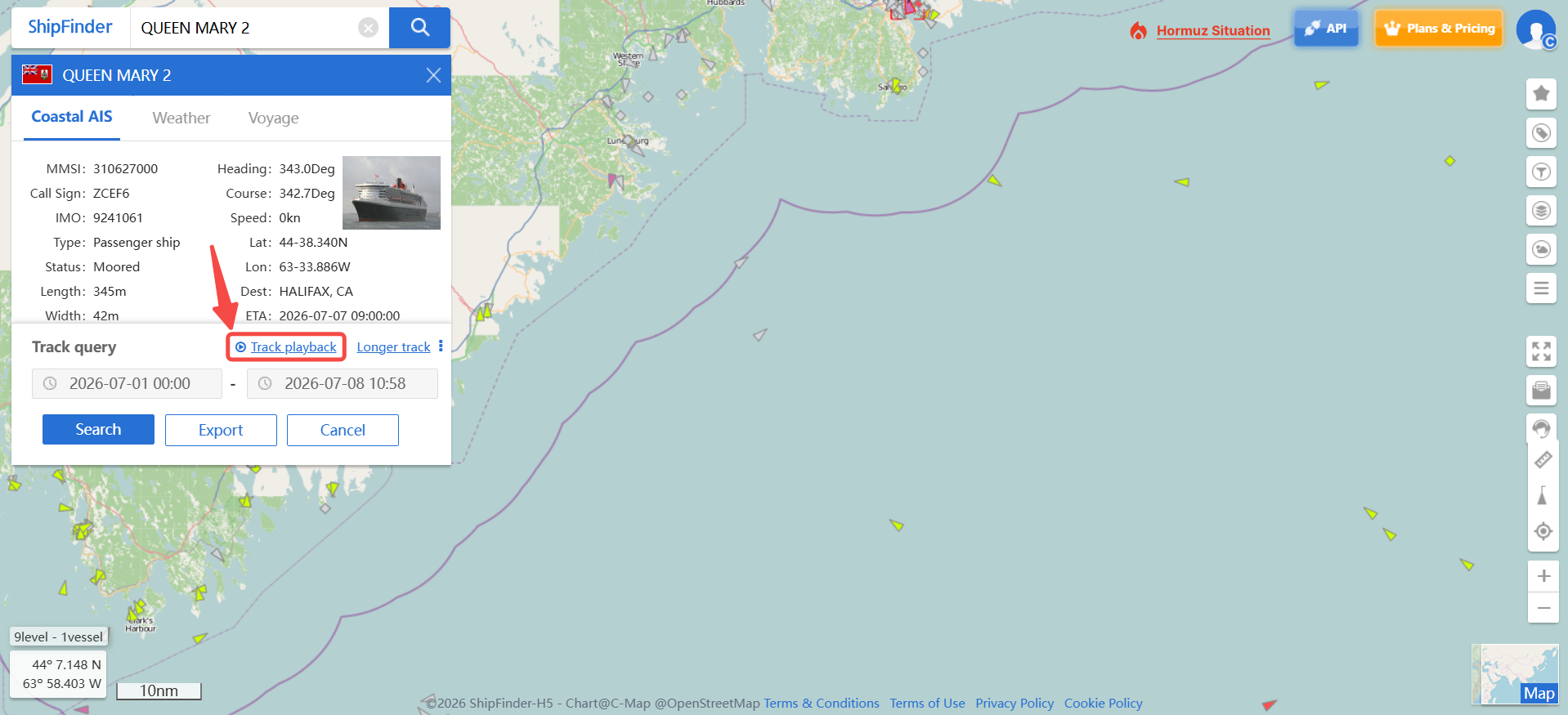
- Click "Track playback"
- Choose the time period you want to replay and click "Search".
- Optionally add additional vessels to compare multiple historical tracks.
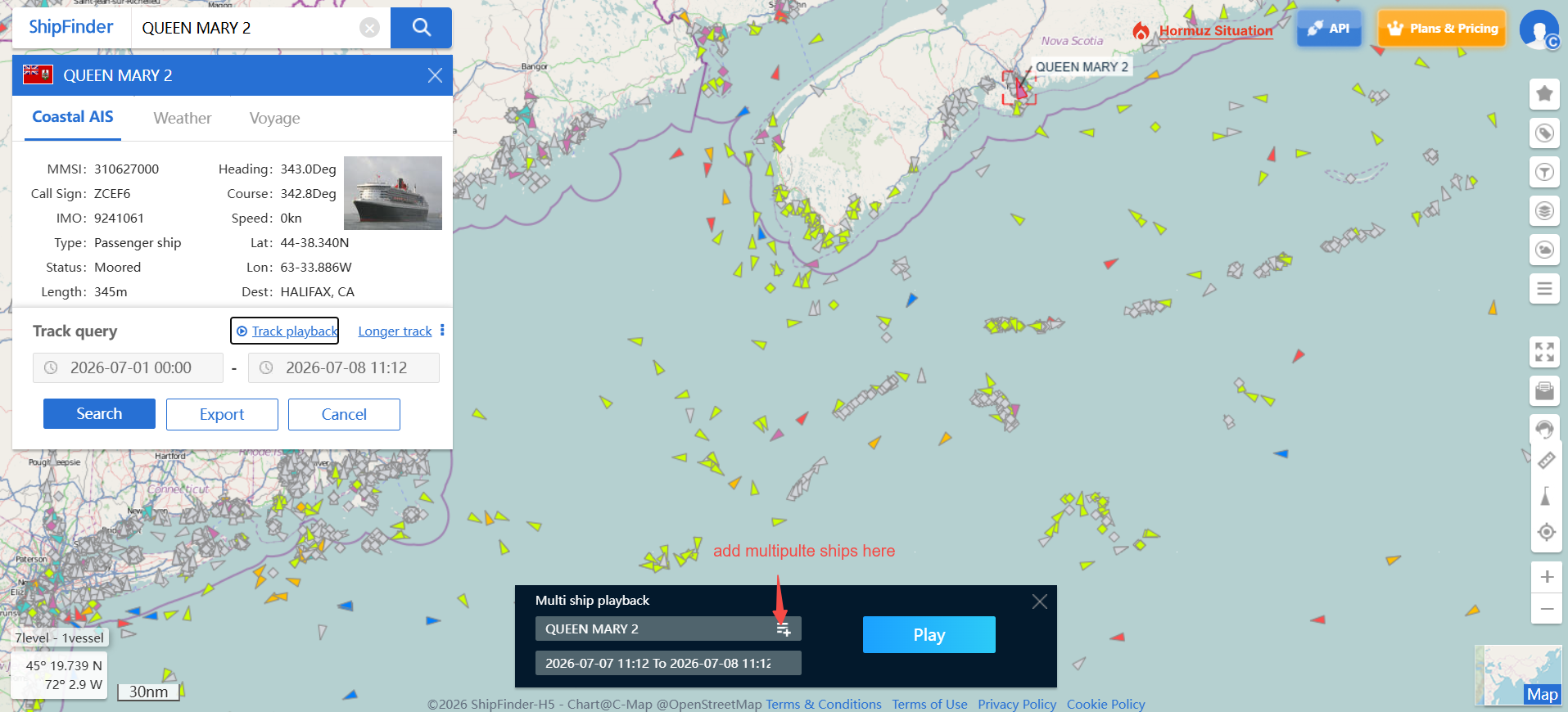
- Click "Play" to start the animation.
- Adjust the playback speed as needed.
Typical Use Cases
Historical Data helps you:
Review previous voyages and vessel movements.
Analyze historical route patterns and operational efficiency.
Verify historical port visits and berth activity.
Compare multiple vessel movements during the same period.
Investigate maritime incidents and accidents.
Export historical data for reporting, compliance, or further analysis.