




How to Subscribe to ShipFinder?
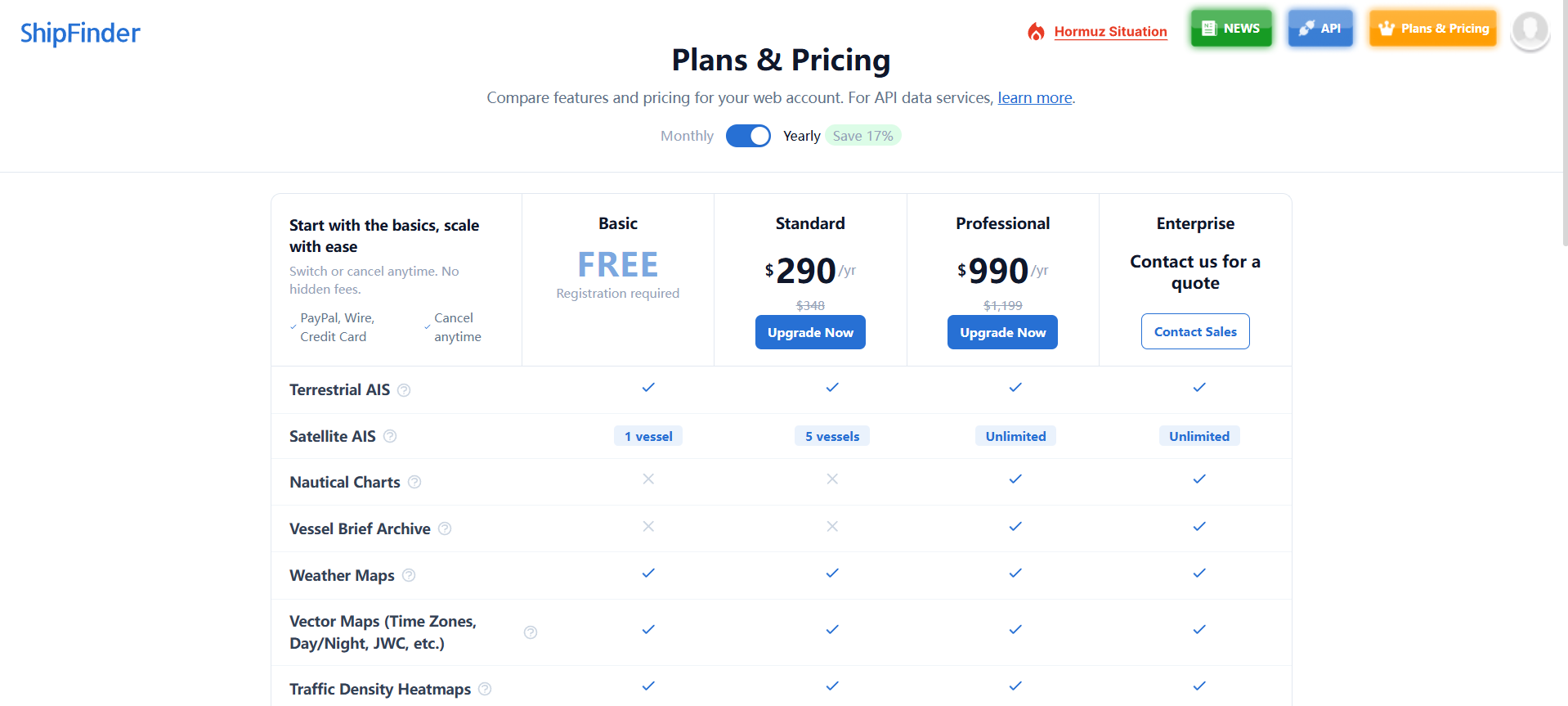
Go to the Plans & Pricing page https://www.shipfinder.com/home/plans_pricing
Choose the plan fits your needs.
 3. Review and confirm your order.
4. Choose your preferred payment method:
PayPal
Telegraphic Transfer (Bank Transfer)
5. Submit your order and complete the payment.
Once your payment is confirmed, your Professional subscription will be activated automatically (or after payment verification for bank transfers).
Tips
PayPal provides instant activation after successful payment.
If you choose Telegraphic Transfer, activation will be completed after we receive and verify your payment.
After upgrading, you'll gain access to all Professional features.
Plans Comparision